FAQ
Reuse
How can I reuse slides and states?
Define a slide as an ordinary Typst function and call it wherever it should appear:
#let results-slide() = m.slide[
  == Results

  #m.steps.reveal[
    - The estimate is positive.
    - The interval excludes zero.
    - The result is practically important.
  ]
]

#results-slide()

// Other slides...

#results-slide()
Each call creates another slide with the same incremental sequence. To show only one state, parameterize the function or write a summary slide.
Links
How do I link to a slide?
Use native Typst labels and links. A label on a content slide becomes the link target directly:
== Results <results>

See #link(<details>)[the details slide].
For an explicit slide, put labeled, zero-output metadata at the beginning of its content:
#m.slide[
  #metadata(none) <details>
  == Details

  Return to #link(<results>)[the results slide].
]
Typst writes these as internal PDF destinations, so Mosaic does not need a separate slide-ID or deep-link API. Use your own unique labels for navigation; the repeated <mosaic-cell-ID> labels identify cells for styling and are not slide IDs.
Repeated titles
Can two slides share a title?
Yes. A sequence of slides that walks through one argument, one figure per slide, often repeats the same title so that the sequence reads as a single animation. Repeated headings collide in the outline and in link targets, so give each repeat its own label:
== Grade appeals

The valid and invalid reasons to appeal.

== Grade appeals #metadata(none) <appeals-2>

What happens after you appeal.
The labeled metadata produces no output; it only makes the heading unique. The same pattern works in the header block of an explicit slide: [== Elasticity #metadata(none) <elasticity-3>].
Margins
Where do slide margins go?
setup uses a zero page margin. Put content spacing on the cells with each cell’s inset:
#show: m.setup

#let grid = m.grids.rows(
  m.grids.cell("a", inset: 1.5em),
  m.grids.columns(
    m.grids.cell("b", inset: 1.5em),
    m.grids.cell("c", inset: 1.5em),
  ),
)

#m.slide(layout: grid)[Top][Bottom left][Bottom right]
inset separates content from a cell’s edges; adjacent cells each contribute their own inset. A grid gutter instead separates the cell surfaces and defaults to 0pt.
Aspect ratio
How do I change the slide aspect ratio?
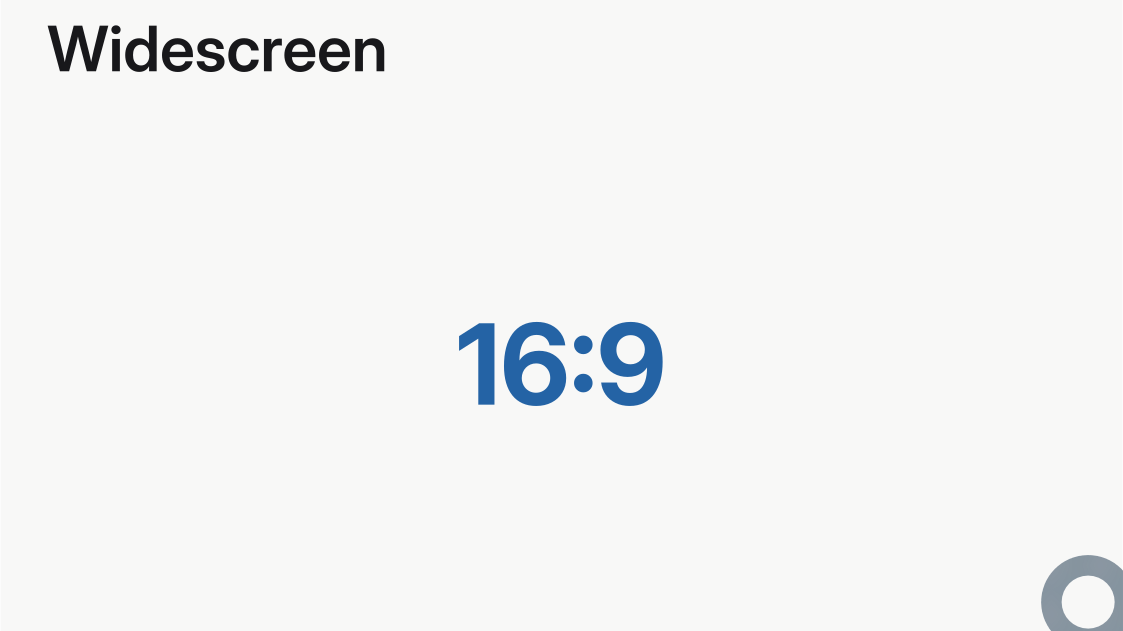
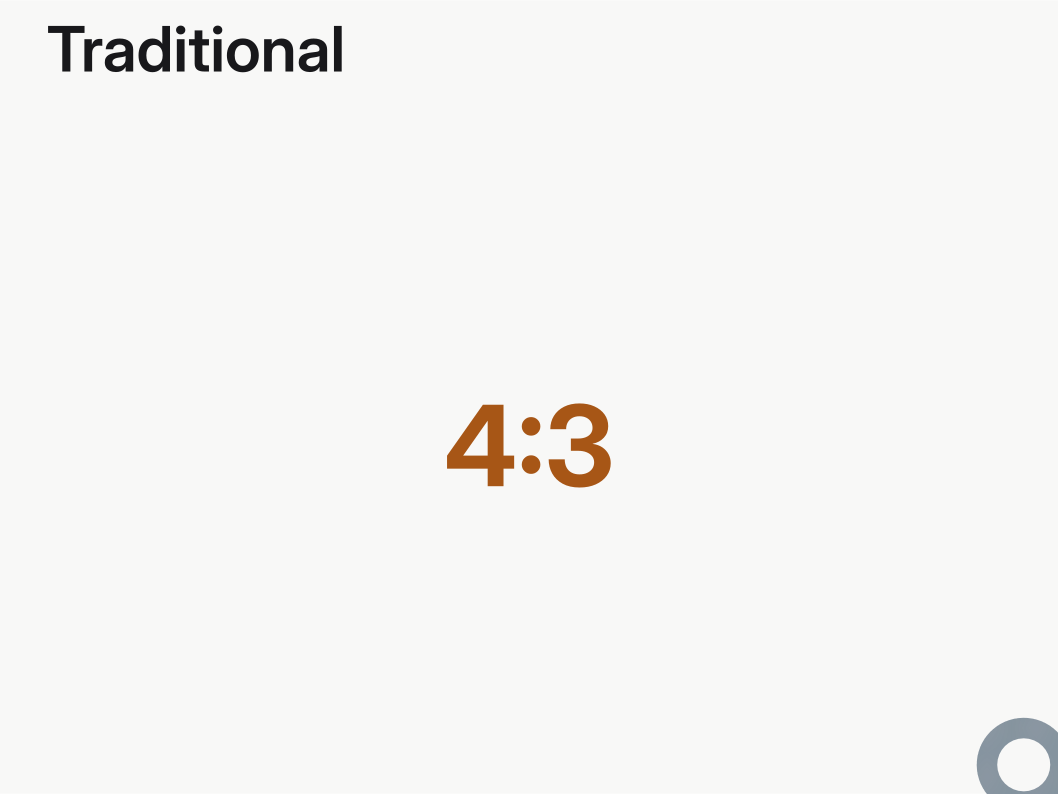
Mosaic supports the two presentation aspect ratios built into Typst:
"16-9"is the default widescreen format."4-3"is the traditional format.
Choose one with the paper argument.
#import "@preview/mosaic:0.0.1" as m

#show: m.setup.with(paper: "16-9")

== Widescreen

#align(center + horizon)[
  #text(size: 3em, weight: "bold", fill: rgb("#2463a5"))[16:9]
]
#import "@preview/mosaic:0.0.1" as m

#show: m.setup.with(paper: "4-3")

== Traditional

#align(center + horizon)[
  #text(size: 3em, weight: "bold", fill: rgb("#a75616"))[4:3]
]
Repeated counters
A counter advances several times on one slide. Why?
Content repeated across frames advances a Typst counter or state once per frame. List the counters and states that should advance only once per slide:
#let theorem-counter = counter("theorems")
#let theorem-state = state("theorem-state", 0)

#show: m.setup.with(
  frozen-counters: (theorem-counter,),
  frozen-states: (theorem-state,),
)
Counters and states left off that list keep their normal Typst behavior.
Accessibility
Can Mosaic produce an accessible PDF?
Yes. Compile against Typst’s tagged-PDF standard:
typst compile --pdf-standard ua-1 main.typ
Three authoring requirements follow from the standard. First, PDF/UA-1 requires a properly nested heading tree that opens at level one. The built-in title layout tags the deck title as that level-one heading (kept out of the outline and the bookmarks, so navigation is unchanged), so a deck of m.slide(layout: "title") followed by == content slides exports as is. A hand-built cover, such as the image layout’s full variant with the type written by hand, carries no heading of its own, so write its title as one rather than as plain text: #heading(level: 1, outlined: false)[My talk], or = My talk to bookmark it too. Inside a slide body a heading renders in place and opens no slide; only headings at the top level of the document do that. Second, the document needs a title, which setup(title: ..) provides. Third, figures and math carry no description on their own: pass an alt string to image (or m.components.image) and to math.equation so a screen reader can voice them. Every equation counts, inline ones included, so $x$ in prose becomes #math.equation(alt: "x", $x$); math nested inside an equation that already has alt needs none of its own. An equation inside a steps command is rebuilt for each frame, so a missing alt there is reported against Mosaic’s incremental/transform.typ rather than your line; the equation to fix is in that slide’s stepped content.
Theme chrome takes care of itself. Every built-in theme marks its progress ring, line, folio, or statusline as decoration, and Mono does the same for the $ prompt before each slide heading, so a screen reader reads the slide’s content and never the furniture. A foreground: or background: plane the deck supplies is content by default; wrap it in pdf.artifact(..) when it is decoration, and leave it alone when it carries meaning, such as a cover photograph with an alt string.
= section heading before any == content slides, and the theme’s slide number is announced on every slide. The README’s install instructions fetch the development version; it imports as @local/mosaic:0.0.2.#image("plot.png", alt: "Estimates rise steadily from 2010 to 2020.")
#math.equation(
alt: "a squared plus b squared equals c squared",
block: true,
$ a^2 + b^2 = c^2 $,
)Check the result with a validator: PDF4WCAG takes an upload and reports each rule the file breaks. Two of its checks answer for the export flag rather than for the deck: a file compiled without --pdf-standard ua-1 is tagged, but carries neither the PDF/UA identification in its metadata nor the viewer preference that shows the title in the window bar, so it fails as “not of the type PDF/UA” however well the deck is written.
Touying
How does Mosaic differ from Touying?
Touying is the most established Typst presentation framework. It is mature and well documented, it has powerful animation support, and the largest collection of themes, including many contributed by its community.
In that context, it is natural to ask how it differs from Mosaic. The table below summarizes some of the core philosophical differences between the two packages, and the rest of this section explains where they come from.
| Concern | Mosaic | Touying |
|---|---|---|
| Layout | Built-in layouts or custom grid | The shape specified by the theme |
| Slide cells | Named and ordered | Ordered |
| Styling | Native Typst set and show rules | Framework-specific arguments passed to Touying functions |
| Custom slides | Ordinary Typst function | Theme code that plugs into Touying |
| Settings | Fixed once, when the deck starts | Carried along, and any slide can change them |
| Themes | Interchangeable with the same commands and arguments | Each brings its own commands |
| Complexity | Around 30 commands and 19 setup options | Around 150 commands and 110 options |
| Incremental | Five commands | A large animation system |
For an ordinary slide deck Touying and Mosaic are very similar. In both cases, you import the package, pick a theme, write headings, and get slides. The theme supplies the typography, the colors, the title slide, and the section dividers. Like Touying, Mosaic ships layouts for the slides most decks need: a title, a section divider, a page of content, a full-bleed image, etc.
Here is a simple deck, with the Touying implementation on the left, and Mosaic on the right:
#import "@preview/touying:0.7.4": *
#import themes.simple: *
#show: simple-theme

= Methods

== Data

One slide.

== Model

Another slide.#import "@preview/mosaic:0.0.1" as m
#show: m.setup
= Methods
== Data
One slide.
== Model
Another slide.The two packages start to diverge when a deck needs something that published themes do not provide out-of-the-box.
Touying can be viewed as a “framework.” It takes charge of the document and stands between you and Typst: it sets the page, reads your headings, and draws every slide through the theme. To adjust the style of slides, Touying ships with roughly 150 commands and about 110 options. So changing something starts with finding the function or argument that controls it. Take the page background: the standard set page command in Typst will not generally work with Touying. This is because Touying overrides it, so your customizations must go through the Touying-specific config-page instead.
The further you get from what the theme provides, the more of Touying you need. Themes are code, and each brings its own slide commands. A deck that calls one theme’s focus-slide does not compile under a theme that doesn’t provide focus-slide. And similar functions hosted by different themes often support different (sometimes incompatible) arguments. For a custom slide layout that no theme provides, you write your own slide function, but it cannot be an ordinary Typst function: it has to receive Touying’s internal state, merge its own page settings into that state, and be registered with the theme. Touying’s tutorial acknowledges the learning curve, saying the package “opts for functionality over simplicity.”
Mosaic, in contrast, is designed as a thin layer on Typst, rather than a framework: it adds slides, named cells, and sensible defaults, but leaves the rest of the document to the Typst language itself. Mosaic is (arguably) easier to learn, because it exports only about thirty commands (and twenty setup options). A slide is a grid of cells, each cell has a name, and those names are the only concept the package adds. Everything else is done with the set and show rules that you already know from the Typst language itself.
Here, for instance, a deck is given a dark page, red text, and larger headers, without a single Mosaic-specific styling command:
#import "@preview/mosaic:0.0.1" as m
#show: m.setup
#set page(fill: rgb("#111827"))
#set text(fill: red)
#show label("mosaic-cell-header"): set text(size: 1.4em)
The dark background comes from Typst’s own set page, and the text color from Typst’s own set text. There is no special function to learn, because Mosaic never takes those commands over. The only Mosaic-specific piece is the label in the last line: cells are named, and each name is exposed as a Typst label, so a cell is targeted with the same show rule syntax used for any other labelled element. Where you place a rule determines what it covers, as in any Typst document.
When no built-in layout fits, you write the grid yourself: rows split into columns, columns split into rows, until the grid is as deeply nested as you need. In the example below, we create a custom slide function called framed(), with a bold banner above a left-aligned body. It is as an ordinary Typst function, with no framework state to thread through, and no theme to register:
#let framed(title, body) = m.slide(
  layout: m.grids.rows("banner", "copy"),
  cells: (banner: title, copy: body),
)

#show label("mosaic-cell-banner"): set text(size: 1.4em, weight: "bold")
#show label("mosaic-cell-copy"): set align(left + horizon)

#framed([Results])[The body.]
The function names two cells, banner and copy, and fills them. Their appearance is then set by the same kind of show rules as before. Because the function is ordinary Typst code, it keeps working under any Mosaic theme, and it can be moved to another deck by copying it.
A Mosaic theme is only a description of colors and layouts, and all themes provide the same commands. Changing a theme changes the appearance only.