VS Code
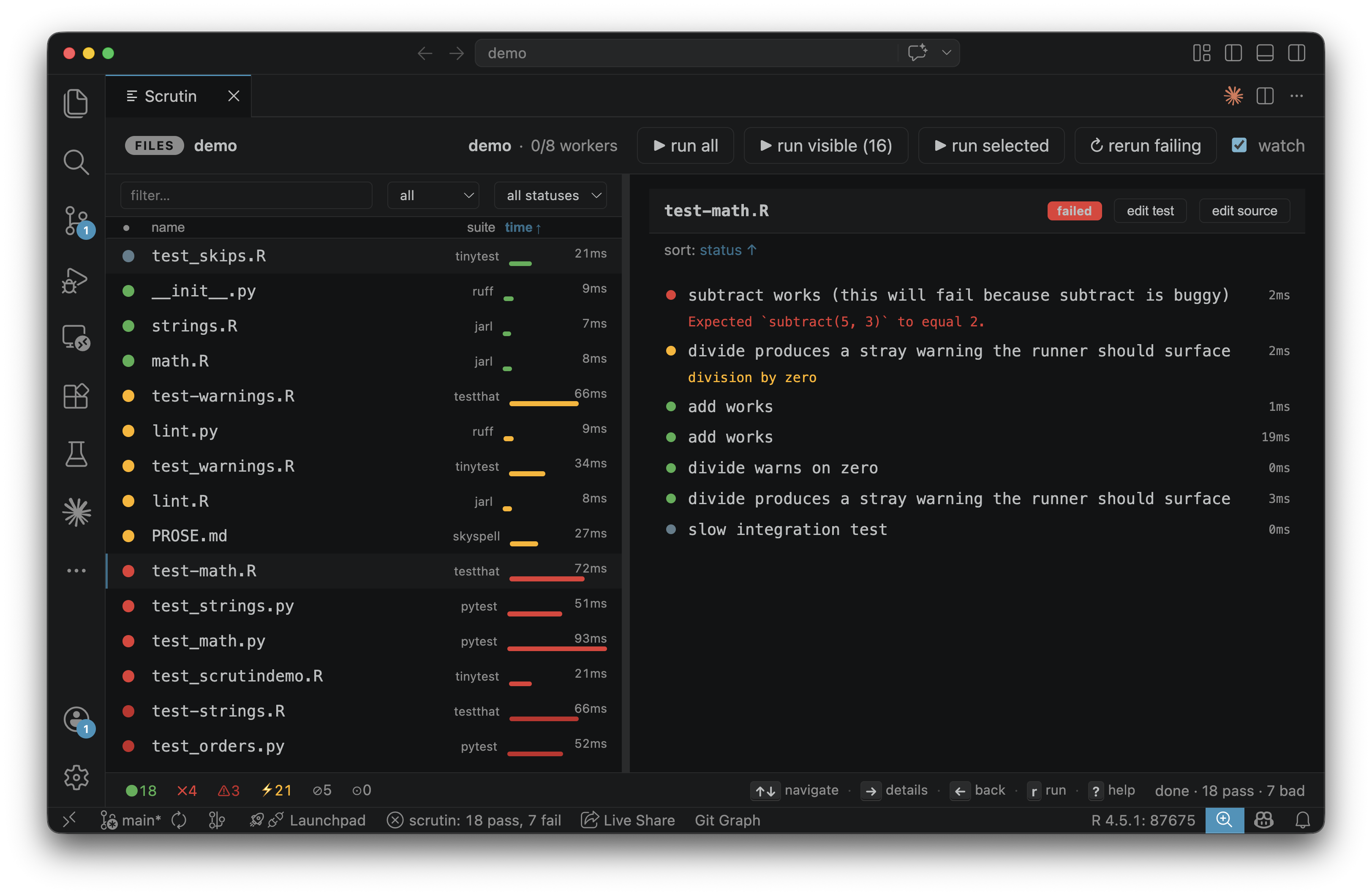
A TypeScript extension that embeds the Scrutin web dashboard in an editor panel and surfaces live pass/fail/error counts in the status bar via SSE.
Available on the VS Code Marketplace.
Installation
Install from the marketplace, or clone the GitHub repository and build from source:
The scrutin binary is bundled inside the VSIX, so the extension works out of the box: no separate install needed. If you prefer to use a scrutin you've installed yourself (see the install instructions), set scrutin.binaryPath in settings to point at it, or simply put it on $PATH and uninstall the bundled-binary VSIX in favour of the universal one.
The extension activates automatically when it detects .scrutin/config.toml, DESCRIPTION, or pyproject.toml in the workspace.
Commands
The extension only exposes lifecycle commands. Run / rerun-failing / cancel / toggle-watch are reachable as chip buttons and keyboard shortcuts inside the webview.
| Command | Description |
|---|---|
scrutin.start |
Start the Scrutin server |
scrutin.stop |
Stop the server |
scrutin.restart |
Stop and start again |
scrutin.showPanel |
Show/focus the dashboard panel |
scrutin.init |
Scaffold .scrutin/config.toml in the workspace |
Settings
| Setting | Default | Description |
|---|---|---|
scrutin.binaryPath |
"" |
Absolute path to the Scrutin binary. Leave empty to find it on $PATH. |
scrutin.autoStart |
false |
Start the server automatically when the extension activates |
Watch mode and every other Scrutin knob are controlled by .scrutin/config.toml (per-project) or ~/.config/scrutin/config.toml (user-level). The extension doesn't override them.