Terminal UI
The default frontend. A two-pane, vim-style interface built with ratatui. It launches automatically when your terminal supports it.
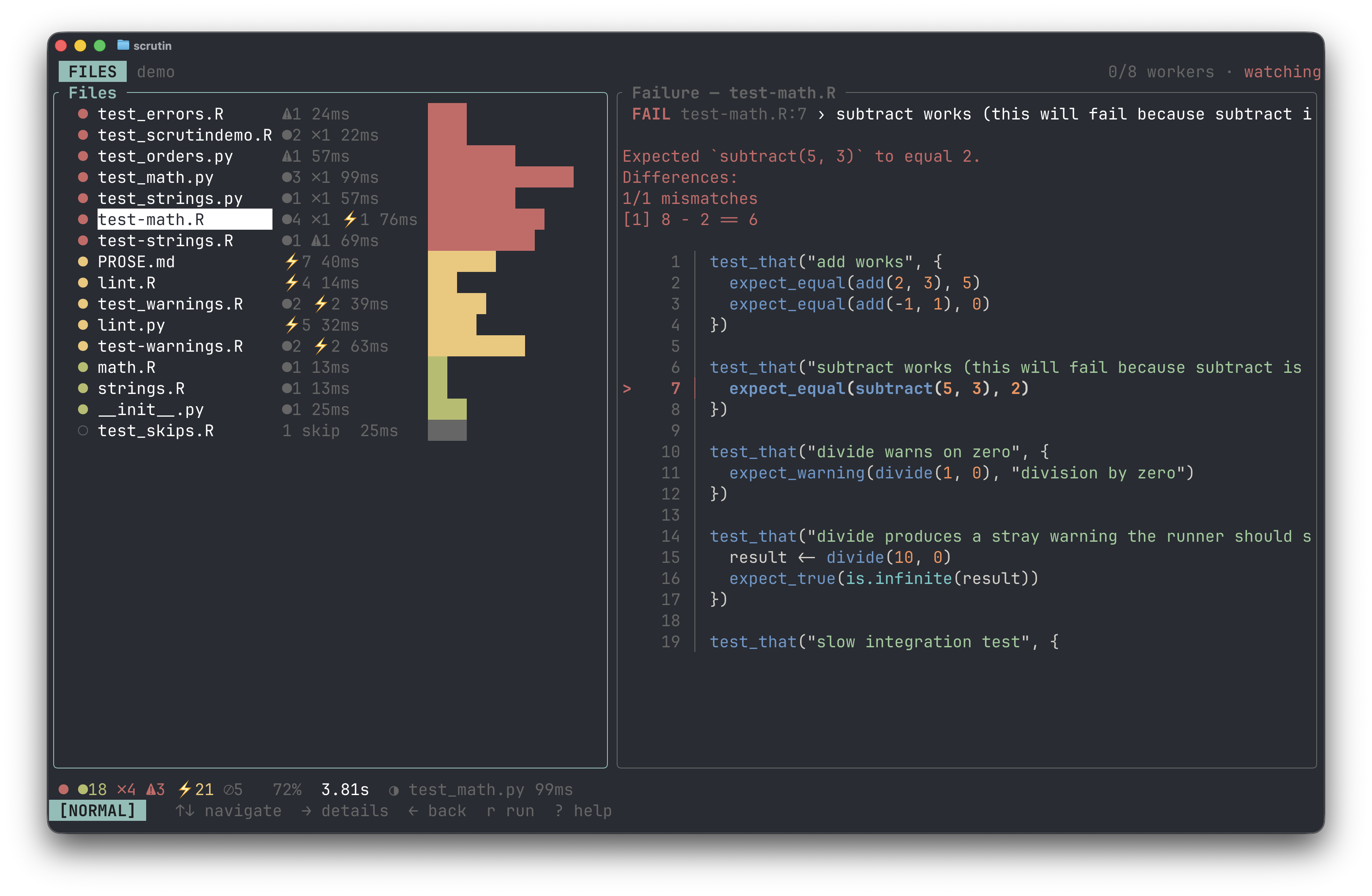
The left pane shows your test files. The right pane previews results for the highlighted file. Press j/k to navigate, Enter to drill into a file's test results, and Esc to go back.
In detail mode, the left pane shows individual tests within the file, and the right pane shows the failure message and source context for the highlighted test. Press Enter on a failing test to see the full error with source code from both the test file and the source function it exercises.
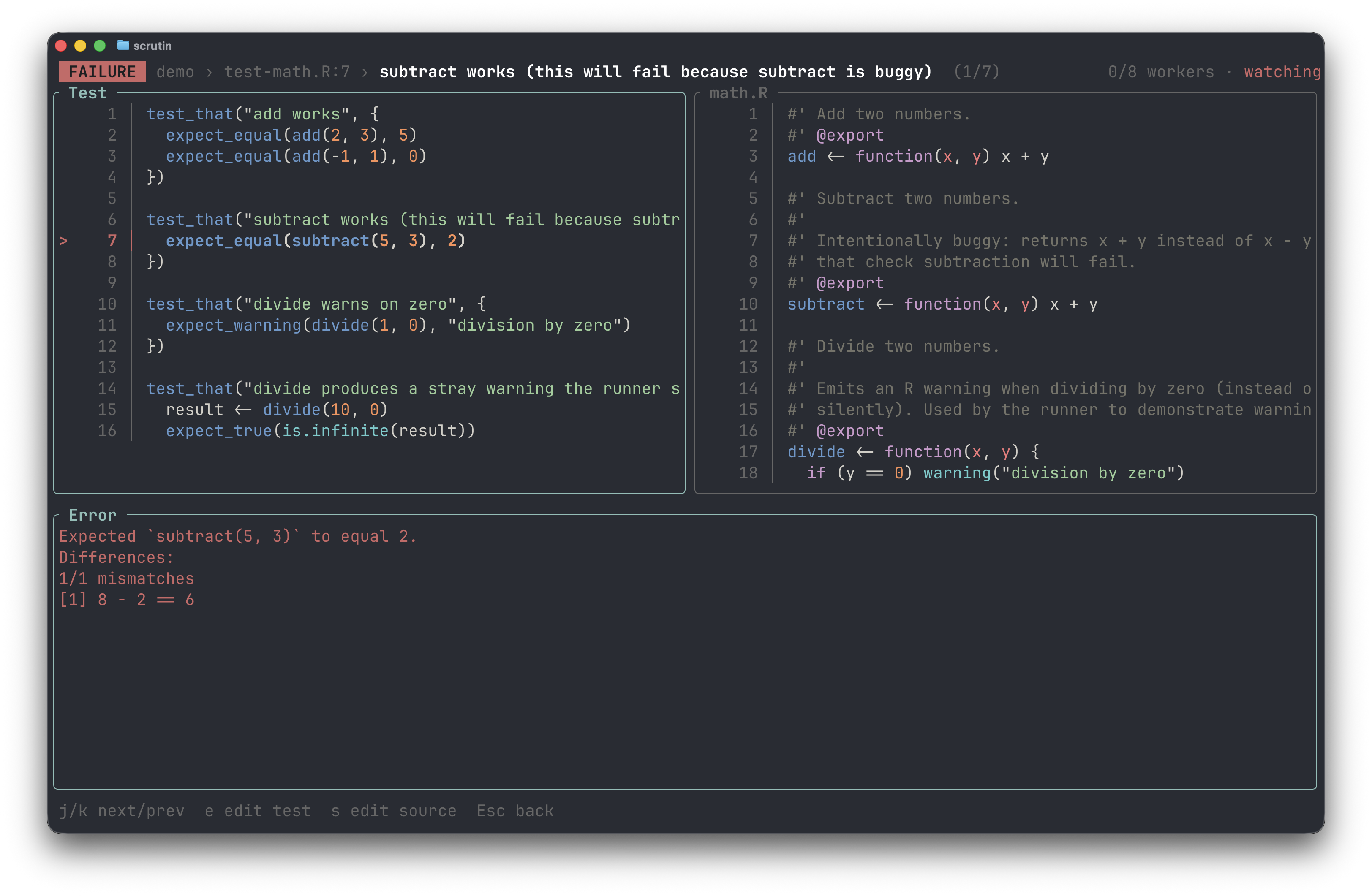
Results stream in live. Press ? for a help overlay, / to filter, s to open the sort palette. Watch mode is on by default; disable it with --set watch.enabled=false. See Keybindings for the full reference.